
WORK-SIMULATION
The Fastest Way to Gain Software Proficiency
Learn. Practice. Work.
INQUIRE ABOUT OUR 7-DAY TRIAL CLASS
"I have learned more here in four months than I did in four years of college"
- German Rodriguez


WORK-SIMULATION TRAINING
The Fastest Way to Gain Software Proficiency
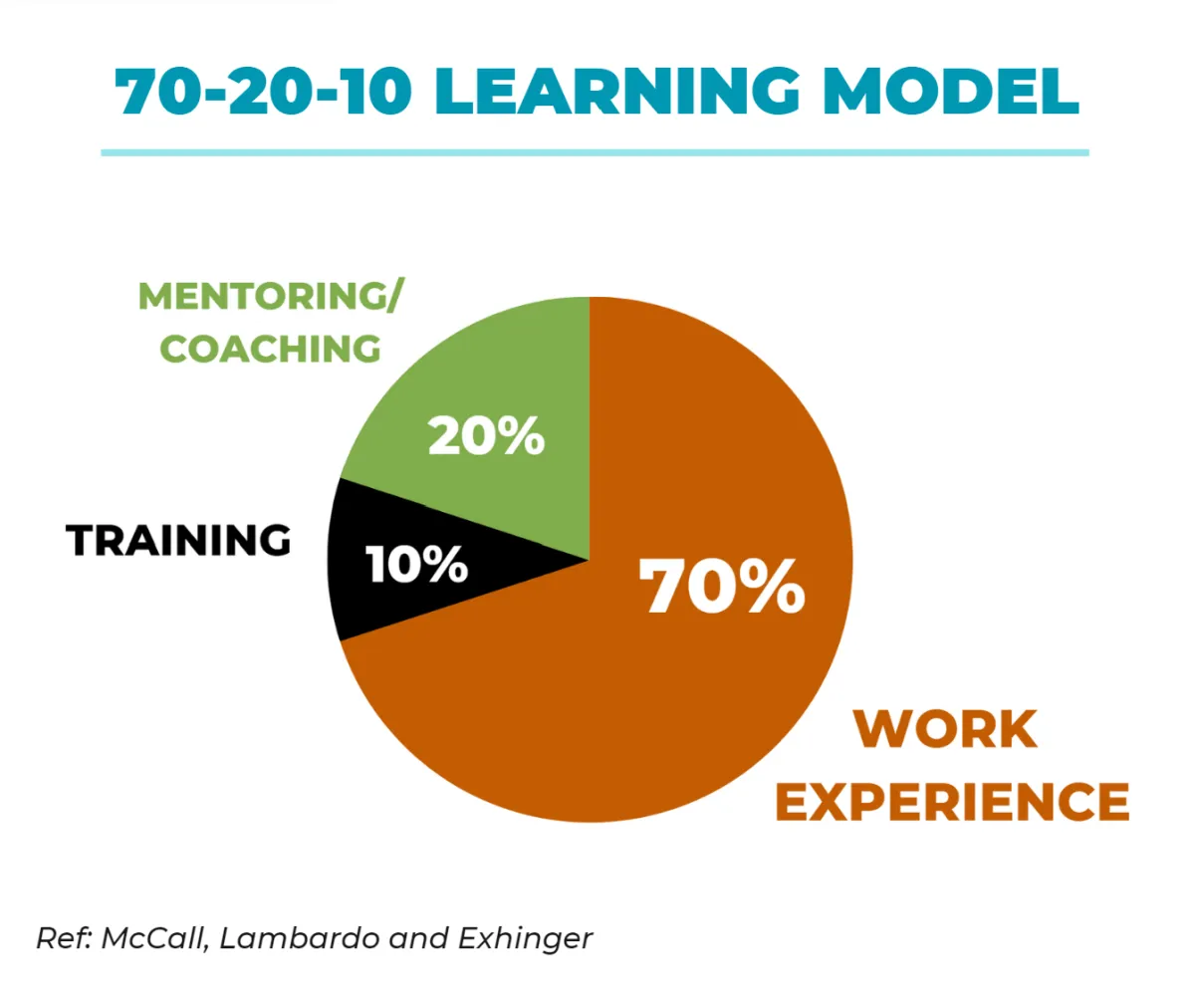
Software Knowledge v/s Proficiency
Traditional instructor-led and online training programs provide foundational software knowledge but often fail to build project proficiency. Achieving this typically requires on-the-job learning through internships or trial-and-error, a process that takes 1-2 years and leads to inefficient workflows and productivity loss.
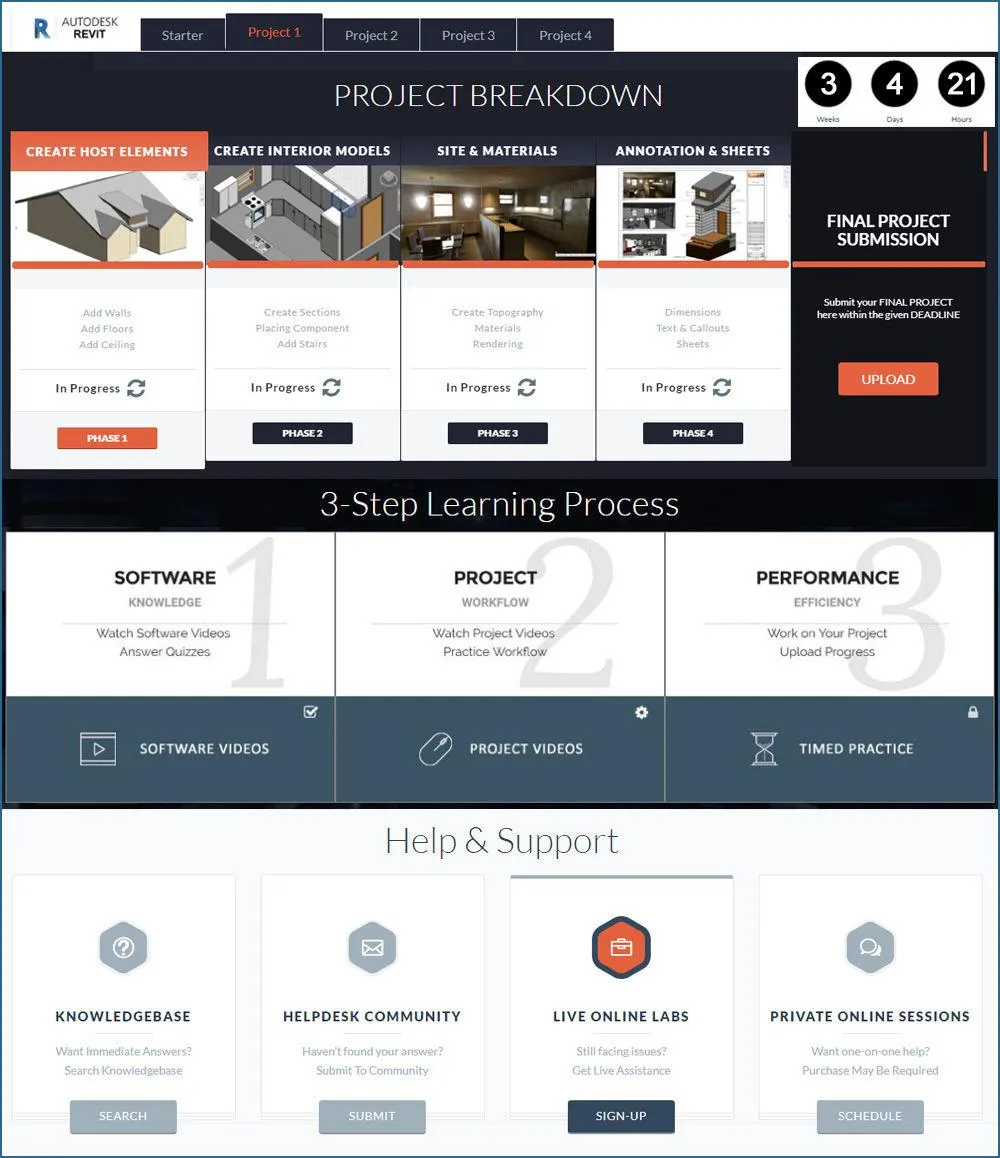
To address this challenge, 3DTraining, Inc., in collaboration with production companies and studios and supported by Autodesk, has developed an innovative work-simulation platform. Participants learn-by-doing in a simulated on-the-job environment, reducing the time to achieve a high-level of project proficiency to just 4-6 months. This approach provides guidance to optimize workflows and significantly boost productivity.
The 3DTraining online program is designed for part-time learners, requiring only 5-10 self-paced hours per week. Participants can learn from anywhere by accessing the work-simulation platform and attending weekly live-online labs and review sessions, offering personalized support to refine project workflows and achieve career success.
PROGRAM FEATURES
WORK SIMULATOR: Interactive Online Platform
Gain hands-on experience with our Work-Simulator Platform, supported by live online reviews and lab sessions.
SELF-PACED: Start, Pause & Resume Anytime
Flexible deadlines allow you to complete all four projects within 2 to 12 months, adapting to your weekly schedule.
AFFORDABLE: Diverse Payment Options
Affordable training with flexible plans, plus work-study options offering reduced or free tuition based on eligibility.
PLATFORM REVIEWS
by Industry Professionals
"The online training platform provided by 3DTRAINING is innovative in many ways and differs from any other online solution I have encountered. All our users have provided very positive feedback"

Rickard Lautrup
Former Autodesk Program Mgr.
KNOWLEDGEPOINT | CONNECT
"3DTRAINING is revolutionizing 3D design learning with self-paced project-centric videos, dashboards, and online mentors to teach best practices and help you when you get stuck"

Chris Bradshaw
Former CMO and SVP,
AUTODESK
"I like the approach and structure of the 3-step learning method. I believe it will help achieve faster learning, better retention and higher levels of proficiency than other learning methods I know about"

Jeff Smith
Co-founder and Former CEO,
LUNAR DESIGN
STUDENT SUCCESS
View press releases of our past graduates below

Brian Ballinger
Architect, NAOS Design
"I was only halfway through my intermediate level course at 3DTraining, and I was so excited to find I got 3 job offers" - Brian Ballinger, currently Architect at the Naos Design Group.

Kern Darrabie
Design Director, Comcast
"With 3DTraining's support and advice I was able to take my career to the next level and get to where I am today" - Kern Derrabie, featured in Computer Graphics World for work done for Comcast/CN8 Channel.

Dr. Rajeev Doshi
Director, Medi-Mation
"I still can't believe that I am getting paid to have so much fun" says Dr. Rajeev Doshi, who switched his career from being a PhD researcher to forming his own medical animation company in London
.

Christian Carbajal
Modeler, Edese Doret
19-year-old Christian Carbajal chose the 3D Training 4-Month program, instead of 4-Year College, and landed a dream job working in interiors of private jets & yacht's at Edese Doret Design.
GRADUATION BENEFITS
Our Learn-Practice-Work support provides a complete career solution
LEARN
TRAINING PROGRAM
Work-Simulation Program to achieve proficiency normally requiring 1-2 years, in just 4-6 months.
PRACTICE

INTERNSHIP PROGRAM
Built-in internship offers select graduates work experience and a reference letter to enhance job prospects.
WORK
PROJECT SUPPORT
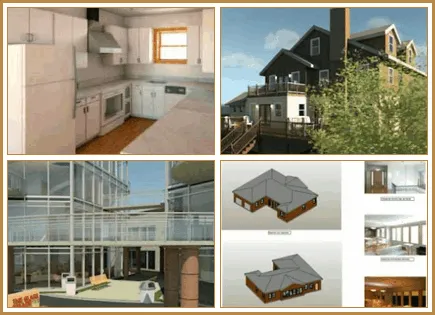
Consultation and support team ensure successful project completion for clients or companies after graduation.
What are you interested in?
Click on the button below based on your interest to request more information
3DTraining, Inc., based in California, was founded in partnership with 3DMIRAGE Studios and with support from Autodesk to bridge the gap between education and industry.
The company’s project-based work-simulation platform accelerates 3D software proficiency by providing hands-on experience with real-world projects while emphasizing efficient workflows.
With over 20 years of expertise, 3DTraining, Inc. has trained thousands of students and contributed to the successful execution of projects for startups and Fortune 500 companies worldwide.
JOIN MAILING LIST:
Copyright (c) - 3DTraining, Inc.